
Your WhatsApp workspace
Collect the details inside the conversation
Use forms for quote requests, appointment requests and feedback, with answers connected to the customer.
GrowthProAccount & setup requirements apply
A useful next step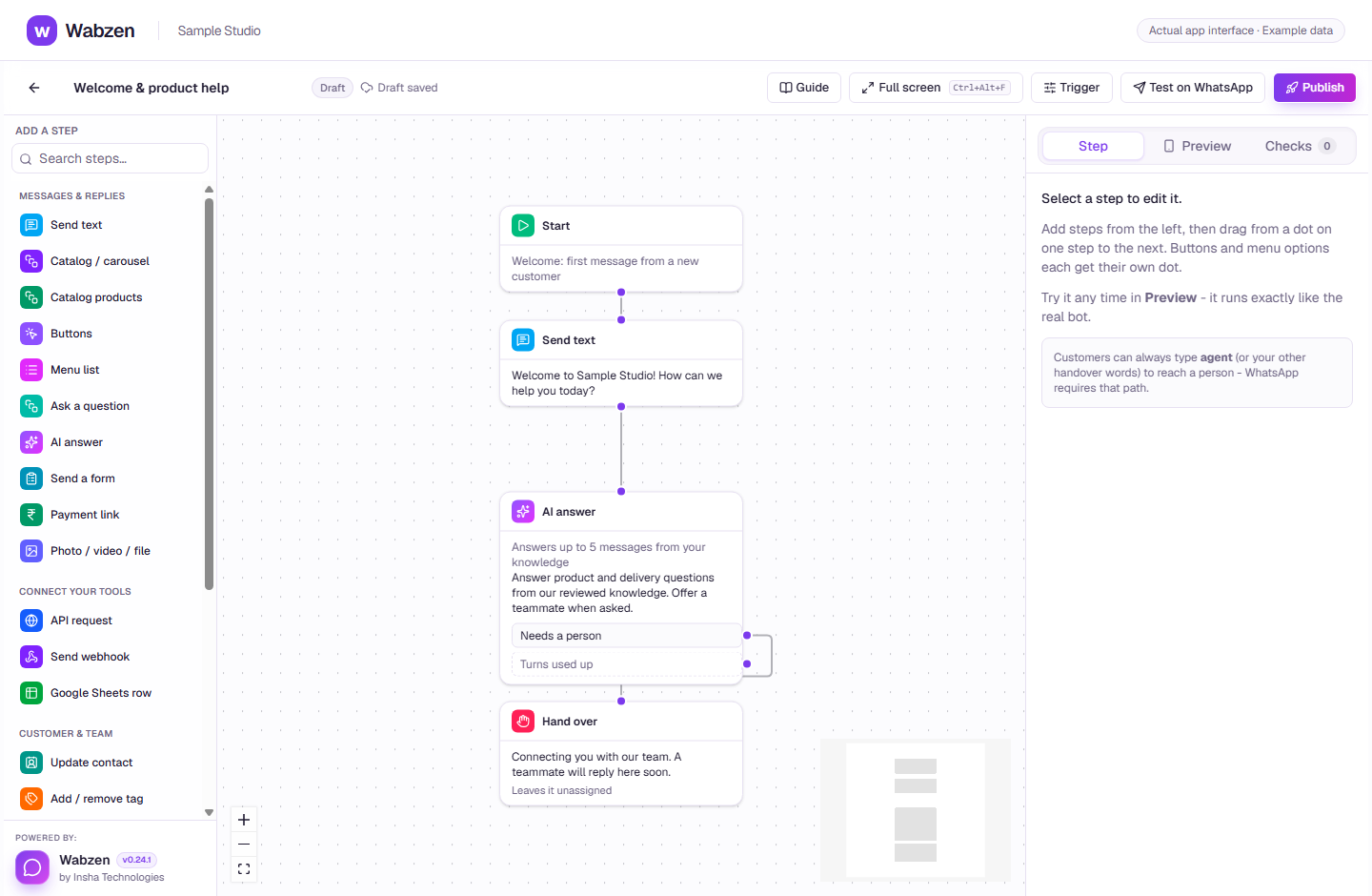
The visual builder where message, AI, form and integration steps connect. Actual app interface with example data. Explore the walkthrough
What your team can do
Start with lead, appointment or feedback examples.
Design screens and preview the customer experience.
Receive answers in the chat and customer record.
How it works
A clear path from setup to action.
01
Choose a form
Start with a useful example and edit the questions.
02
Preview & publish
Test the draft. Publishing needs an eligible business-verified WhatsApp account.
03
Share in the journey
Send the form from a conversation or a chatbot and follow the submitted answers.
Your questions
Good to know before you start.
Is this a calendar booking system?+
The appointment starter collects a preferred date and time. Availability checks and calendar synchronization need a separately configured integration.
Can a published form be edited?+
To change a published form, make a copy and publish the new version.
Bring your next conversation here.
Start with your own WhatsApp Business account and a plan that fits your team.