
Your WhatsApp workspace
Send a campaign with a plan behind it
Choose a relevant audience, personalize approved messages and follow results from delivery to reply.
StarterGrowthProAccount & setup requirements apply
A useful next step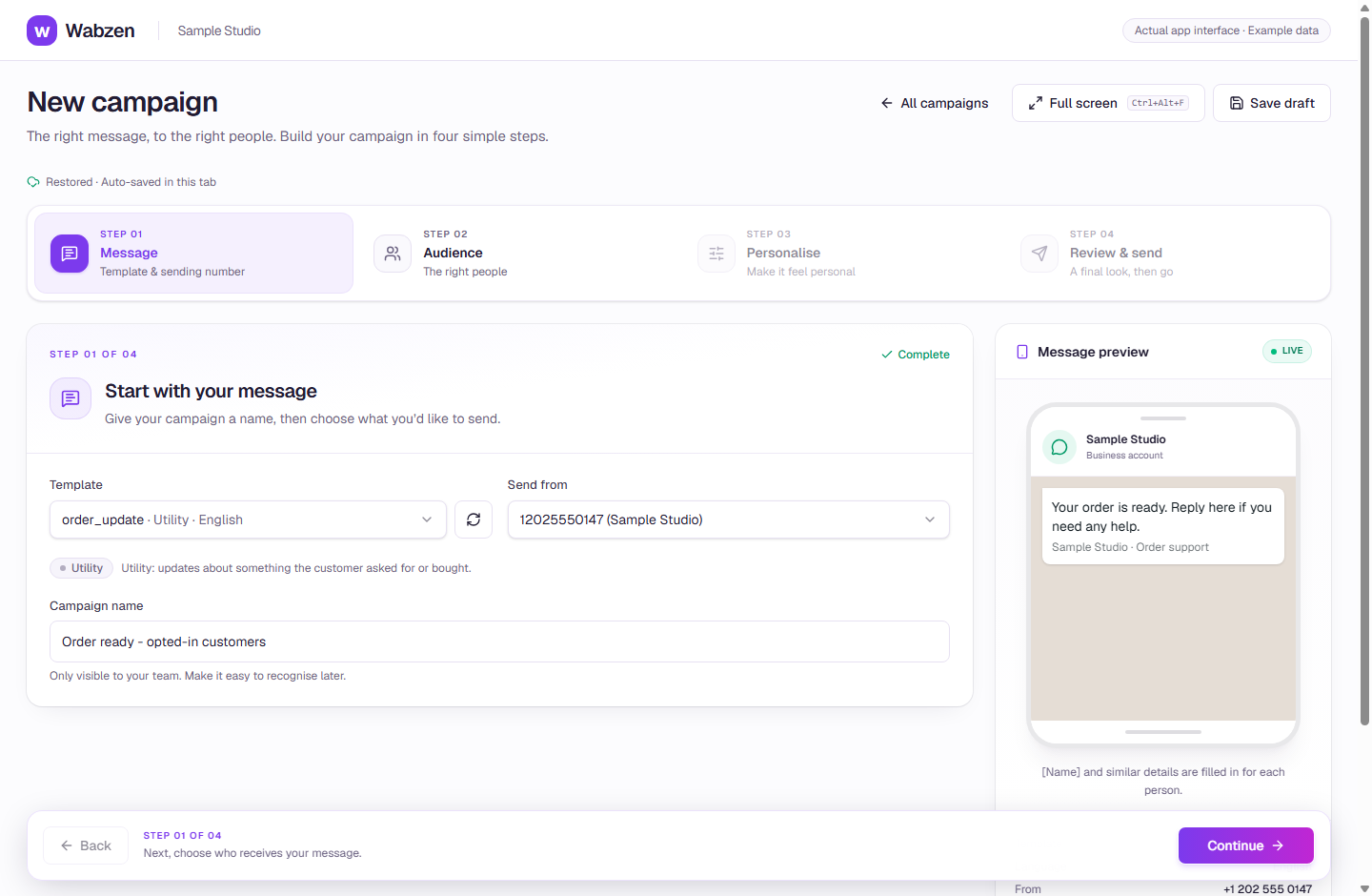
The campaign builder with an approved template and message preview. Actual app interface with example data. Explore the walkthrough
What your team can do
Build audiences from tags, filters or an uploaded list.
Schedule sends and review estimated Meta charges first.
Use A/B variants and eligible tracked template links.
Create follow-up audiences from campaign outcomes.
How it works
A clear path from setup to action.
01
Choose an approved template
Prepare your message and select the correct language and category.
02
Select & personalize
Choose opted-in recipients, map customer values and review examples.
03
Review & send
Check your account, audience and estimated usage; launch or schedule the campaign.
Your questions
Good to know before you start.
Are message charges included in my plan?+
Your platform subscription is separate from Meta message charges. You pay Meta directly using the payment method in WhatsApp Manager.
Does a tracked visit prove a purchase?+
No. Link previews and scanners can count as visits. Delivery, reads, visits and purchases are different outcomes.
Bring your next conversation here.
Start with your own WhatsApp Business account and a plan that fits your team.