
Your WhatsApp workspace
Your business knowledge. A helpful first reply.
Teach the assistant your products, policies and opening hours, test the answers and connect it to your chatbot.
GrowthProAccount & setup requirements apply
A useful next step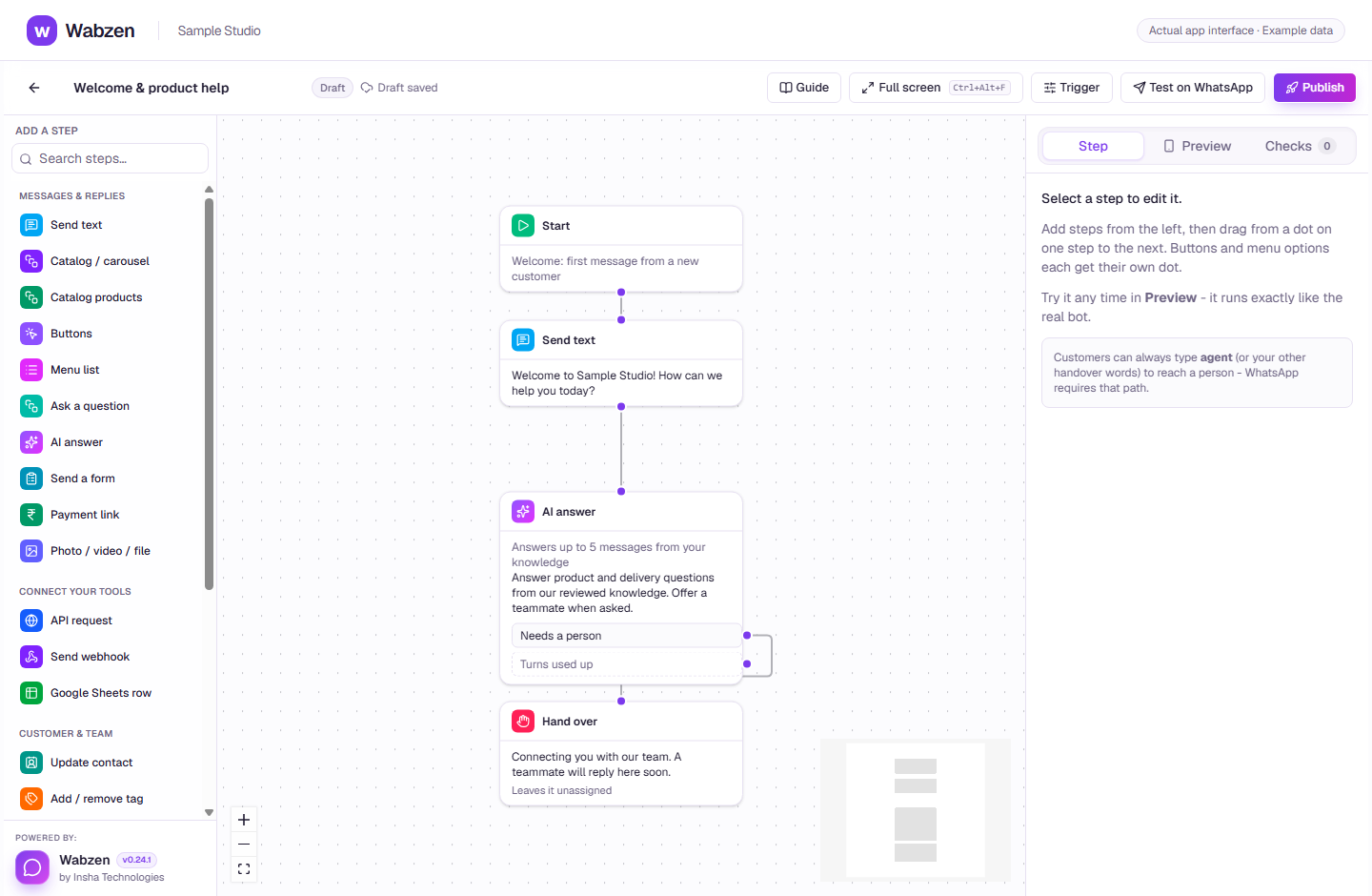
The visual builder where message, AI, form and integration steps connect. Actual app interface with example data. Explore the walkthrough
What your team can do
Add FAQs, website pages or reviewed text files.
Test questions before connecting customer conversations.
Set a tone and support conversations in customer languages, including Hindi and Hinglish.
Send uncertain or sensitive questions to a person.
How it works
A clear path from setup to action.
01
Add your knowledge
Explain products, delivery, returns and the questions customers ask most.
02
Try a conversation
Test answers, improve your information and check handover behavior.
03
Connect an AI answer step
Publish the chatbot with a human fallback and watch your allowance.
Your questions
Good to know before you start.
Is AI usage unlimited?+
AI usage depends on the plan allowance and any extra credits. A configured provider is required; check the pricing comparison for the current offer.
Can I leave it without a human fallback?+
Keep a handover path for questions it cannot safely answer. AI answers do not guarantee correctness or replace your support team.
Bring your next conversation here.
Start with your own WhatsApp Business account and a plan that fits your team.