
Connect your tools
Turn customer activity into useful rows
Append lead details, form answers and supported events to a Google Sheet that you own.
ProAccount & setup requirements apply
A useful next step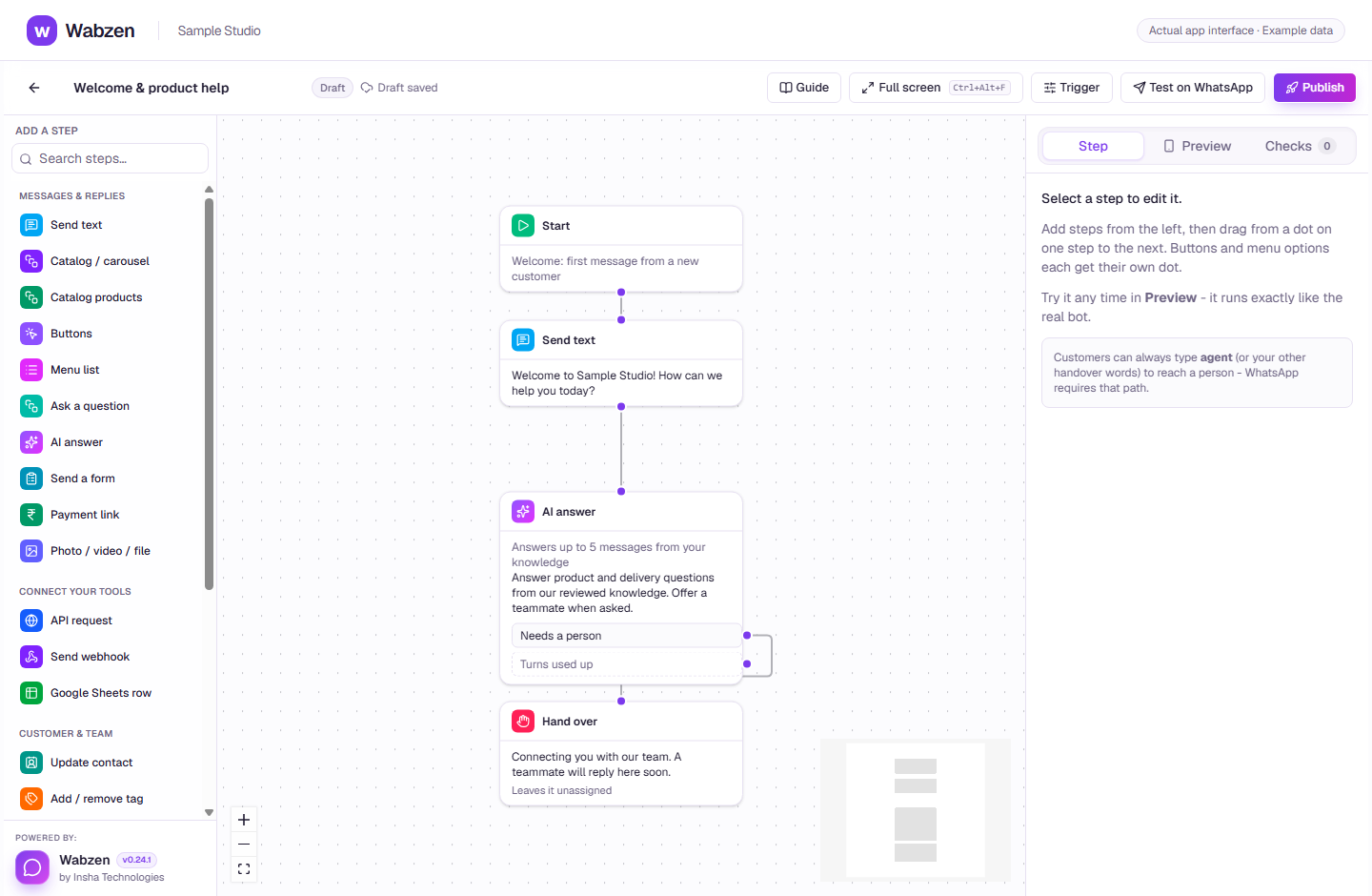
The visual builder where message, AI, form and integration steps connect. Actual app interface with example data. Explore the walkthrough
What your team can do
Use the supplied Apps Script in your own spreadsheet.
Choose which events create rows.
Append details from a chatbot step.
How it works
A clear path from setup to action.
01
Create the sheet connection
Copy the generated script from Integrations into Apps Script.
02
Deploy your web app
Follow the shown deployment instructions and connect its URL.
03
Choose events
Select events or use a Sheets step in your chatbot and check the test row.
Your questions
Good to know before you start.
Does it send campaigns from spreadsheet rows?+
This connector writes rows to your sheet. Sending WhatsApp messages from sheet edits needs a separately configured API workflow.
Bring your next conversation here.
Start with your own WhatsApp Business account and a plan that fits your team.